
Business Rules > Discounts
Discount Rules allow admins user to define workspace-wide automatic discounts that are applied consistently across procedures and transactions in EPONA.
These rules help reduce manual work and automatically update pending transactions when rules change.
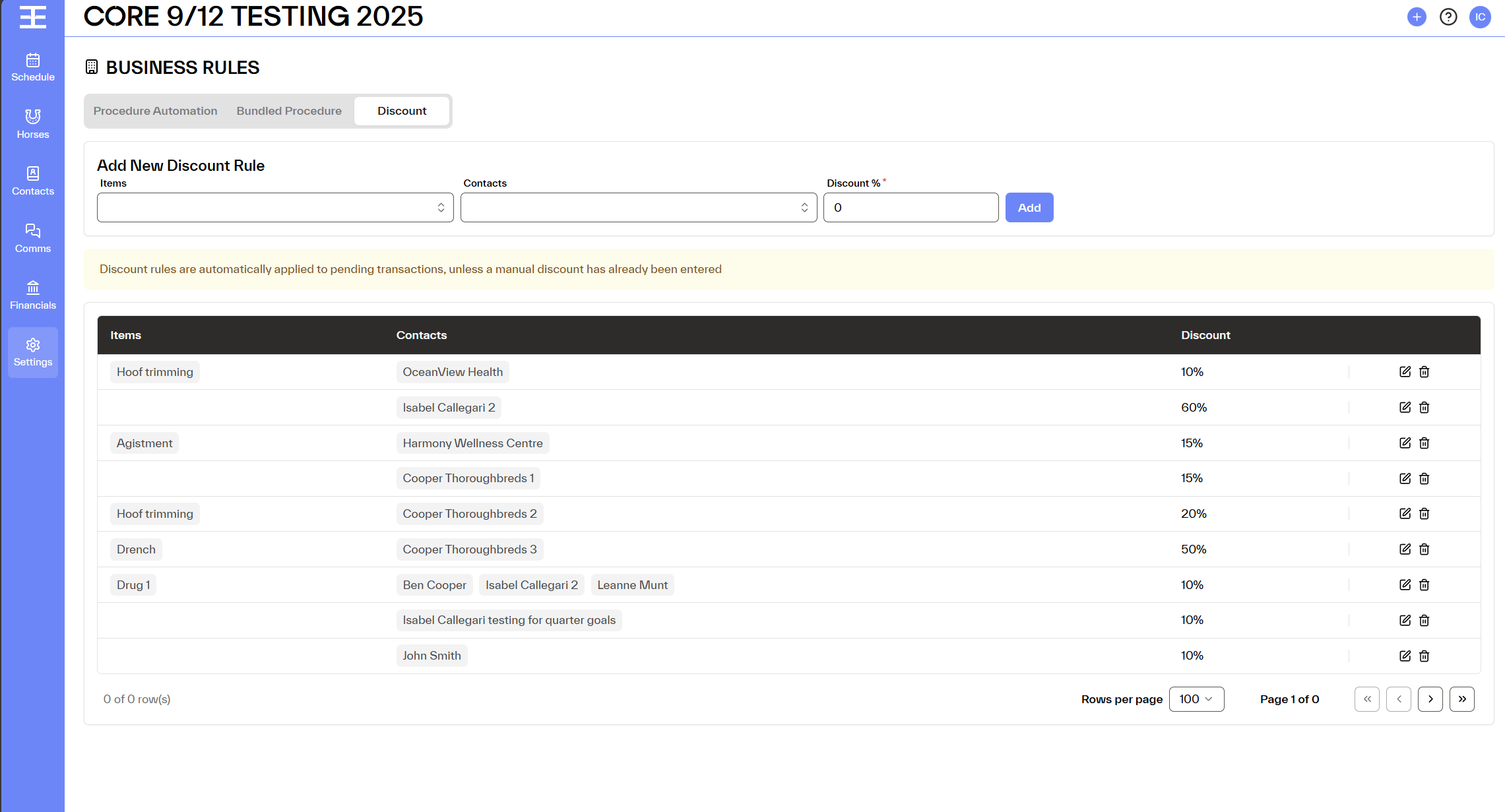
Where to Find Discount Rules
Settings → Business Rules → Discounts Tab
The Discount Rules tab appears next to Bundled Procedures.
What Are Discount Rules?
Discount Rules define:
Who receives a discount (specific Contact or all contacts)
On what (Items [Sales Account Codes, procedures items, daily charges])
How much discount is applied (%)
When it applies (automatically to pending transactions unless overridden)
Once created, Discount Rules automatically apply to eligible transactions where Discount Rules are enabled.
Creating a Discount Rule
Admins can create and manage Discount Rules at a workspace level.
Rule Fields
1. Items (Required, Multi-select). Search and select specific items. Display includes:
- Daily Charges
- Procedures items
- Other Fees
- Sales Account Codes
Each item is displayed with a badge label.
(You have the ability to select "All" items.)
2. Discount % (Required)
- Value between 0 and 100
- Supports up to 3 decimal places
3. Apply To (Required, Multi-select)
- Select Contact or "All"
Inline Editing & Management
- All fields are editable directly in the table
- Rules can be deleted at any time and will affect pending transactions, once approved it will maintain business rule approved
- “Show more” is used when many contacts are linked to a rule to avoid clutter
Rule Constraints & Logic
Uniqueness & Priority
A Contact or Contact Group can belong to multiple rules
If multiple rules apply to the same item:
EPONA applies the highest discount (%)
How Rule Changes Affect Transactions
Whenever a Discount Rule is created, edited, or deleted, EPONA checks for pending transactions.
Which Transactions Are Impacted?
A transaction is impacted only if:
- Status = Pending
- Discount Rules checkbox = checked
- Manual Discount = non applied
- Transactions where users manually disabled Discount Rules are excluded.
What Happens on Rule change?
EPONA runs a batch process:
- Rule Created → Discount is applied
- Rule Edited → Discount is recalculated
- Rule Deleted → Discount is removed
All pending transactions are updated automatically.