
Add Movement
Add a Movement via;
- Quick Add menu - + in top right-hand corner next to user profile
- Schedule/Movement view - select Add Procedure
- Horse list/More option - Allows multiple horses to be selected to add movement.
- Horse/Procedure tab - Under an individual horse, select Add Movement
All options, except when under an individual horse, allows for multiple horses to be selected when adding a movement.
To add a movement , select the Add movement option
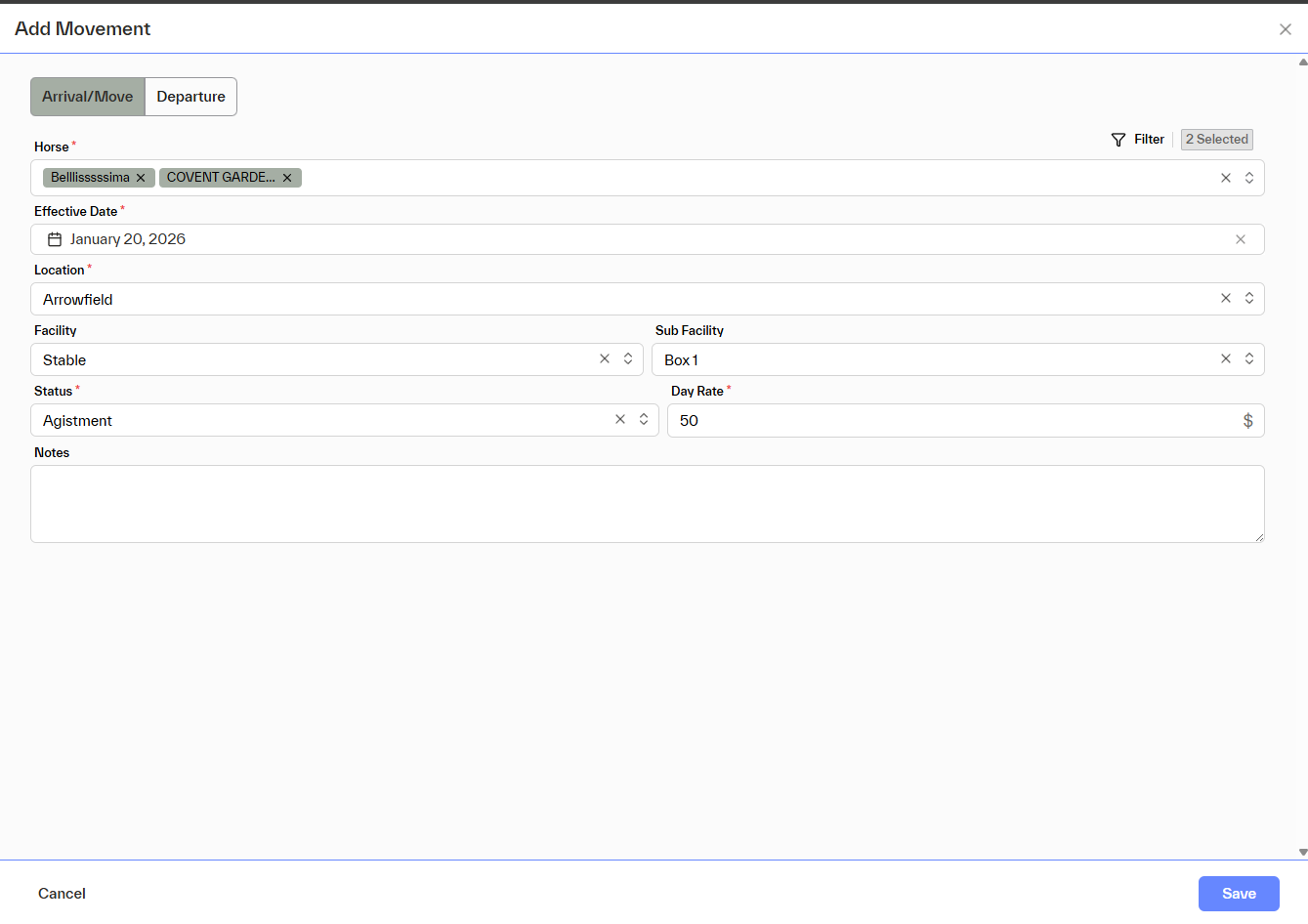
Arrival / Move
When Arrival / Move is selected, the horse’s status will update based on the Status chosen.
Fields
- Horse(s)*
One or multiple horses can be selected using search or advanced filters. - Effective Date*
The date the horse arrives at or moves to the internal location. - Location*
Only internal locations created by the user will be available when Arrival / Move is selected. - Facility / Sub-Facility
Optional. Availability depends on how the selected location has been configured. - Status*
Displays all services created with Type = Daily Charge. - Day Rate*
Automatically populated from the selected service’s day rate, but can be customised if required. - Notes
Free-text field for additional information.
Departure
When Departure is selected, the horse’s status will automatically change to Departed.
Fields
- Horse(s)*
One or multiple horses can be selected using search or advanced filters. - Effective Date*
The date the horse departs from the location. - Location*
The user can search for an existing external location or add a new one. - Archive Horse
If checked, the horse will be archived upon departure. - Notes
Free-text field for additional information.