
Add to Group
How to Add Contacts to an Existing Group
Use the Add to Group action to assign one or more existing contacts to an existing group — without creating a new group.
Steps
- In the Contacts list, tick the checkboxes next to the contacts you want to add.
- Click the More button in the top-right area.
- Select Add to Group from the dropdown. This option becomes available as soon as at least one contact is selected.
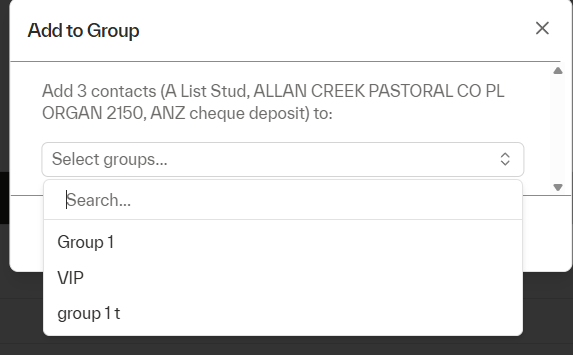
- A modal will open showing the contacts you selected and a searchable dropdown of all existing groups.
- Select one or more groups from the list.
- Click Save to confirm. The selected contacts will be added to all chosen groups.
💡 If a contact is already a member of a selected group, the system will skip re-adding them and show a confirmation message summarising the outcome — for example: "3 contacts added to 'VIP'. 1 contact was already in this group."