
Horse Brand
Overview
The Horse Brand feature lets you associate a brand with each horse in your workspace. Brands help you organise and identify horses by ownership, stud, or commercial identity, making it easy to filter, report on, and manage horses across your operation.
You can link a brand when adding a new horse or at any time from the horse's profile. When linking, you can choose from brands already used in your workspace or create a new one on the spot.
Who Can Do What
The table below summarises permissions across roles:
Role | Can Link Brand to Horse | Can Create New Brand | Can Manage Brand Settings | ||
Admin | ✓ Yes | ✓ Yes | ✓ Yes — full access | ||
Standard User/ Manager | ✓ Yes | ✓ Yes | ✗ No — contact your Admin | ||
ℹ️ Note: Brand Settings (renaming, deactivating, or deleting brands) are restricted to workspace Admins. All other users can link and create brands directly from a horse's profile. | |||||
Linking a Brand When Adding a Horse
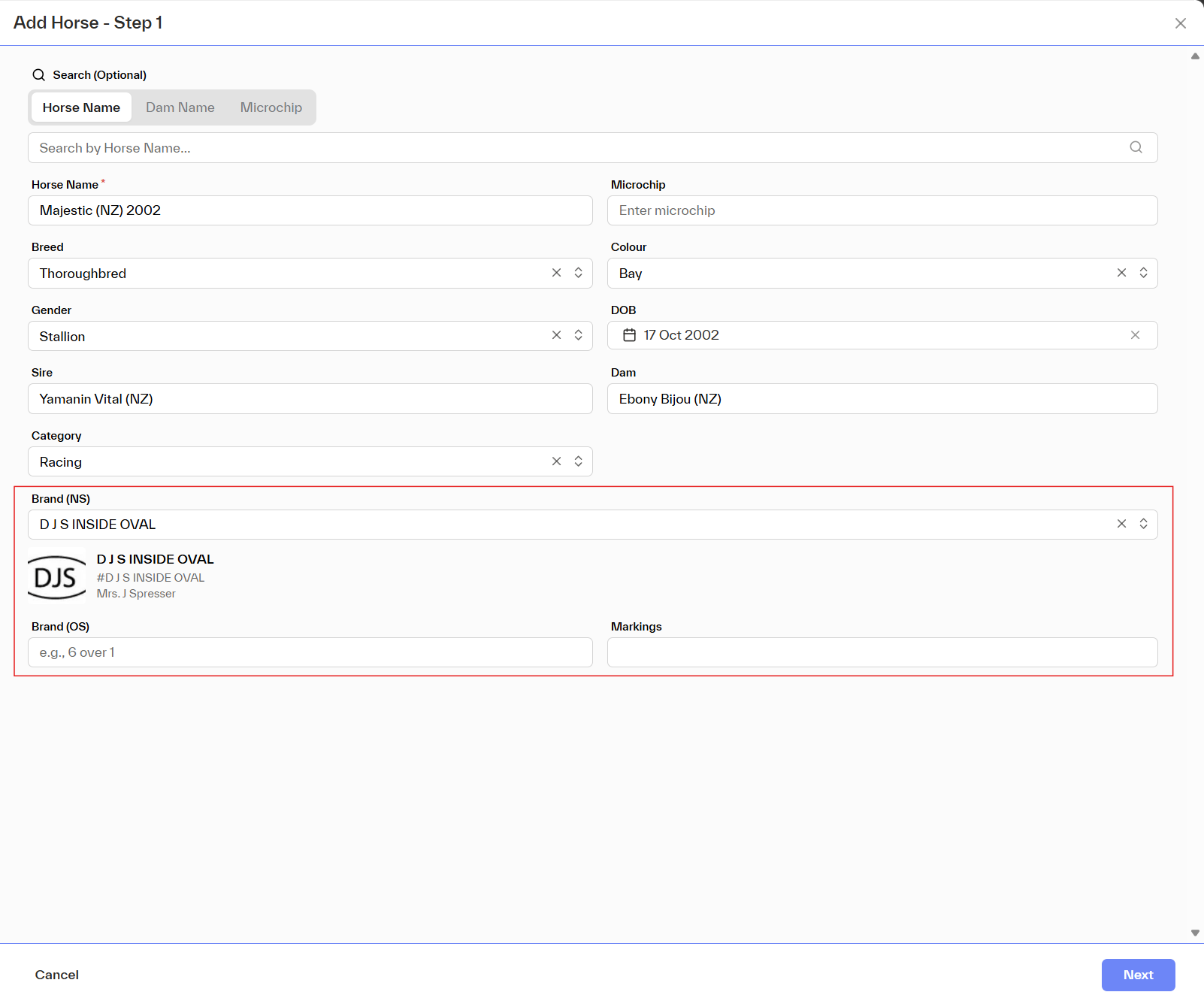
When creating a new horse record, you'll find the Brand field in the horse details form. Here's how to use it:
1 | Open Add Horse | Navigate to the Horses section or Quick add and select Add Horse. |
2 | Fill in horse details | Complete the required fields, Horse name, date of birth, etc. |
3 | Find the Brand field | Scroll to the Brand (NS) field within the form. |
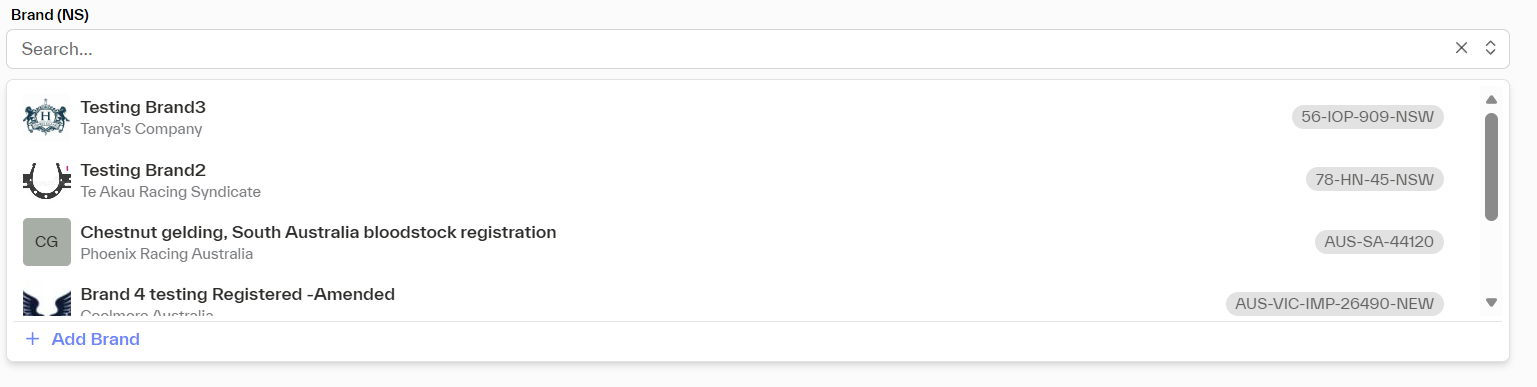
4 | Select or create a brand | Start typing to search existing workspace brands, or choose 'Addbrand' to add one on the fly. |
5 | Save the horse | Complete the rest of the form and save. The brand is now linked to the horse. |
Linking or Updating a Brand from the Horse Profile
You can add or change a horse's brand at any time directly from their profile — no need to edit the full horse record.
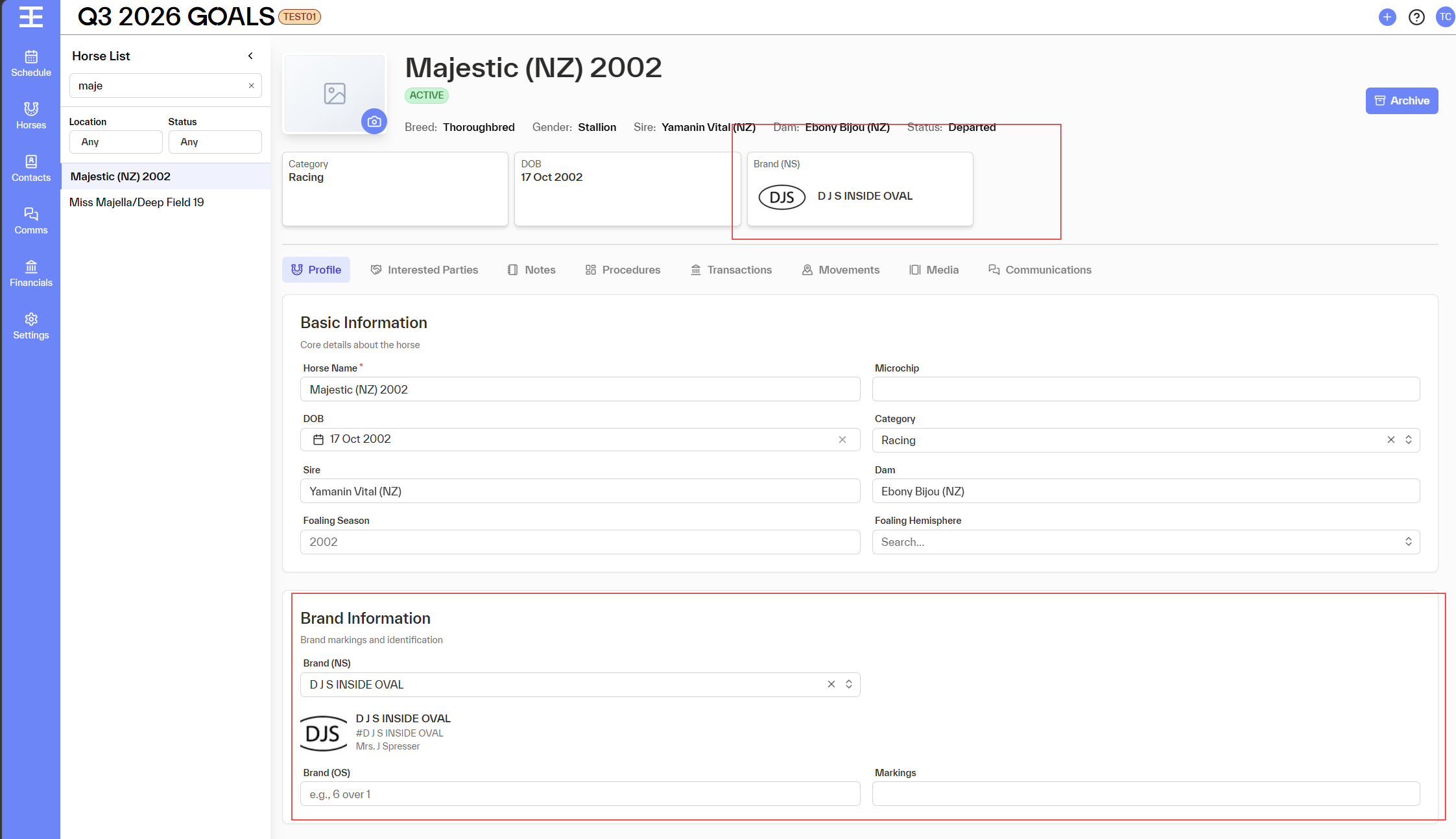
1 | Open the horse profile | Navigate to the horse and open their profile page. |
2 | Locate the Brand field | The Brand field appears in the horse's details section. |
3 | Click to edit | Click the Brand field or the edit icon next to it. |
4 | Choose or create a brand | Search for an existing brand in your workspace, or type a new name and select 'Create new brand'. |
5 | Save | Confirm your selection. The profile updates immediately. |
Using an Existing Brand vs. Creating a New One
When the brand selector opens, you have two options:
Option | When to Use | What Happens | ||
Select existing brand | The brand already exists in your workspace and you want to reuse it | The horse is linked to the existing brand. No new brand record is created. | ||
Create new brand | The brand doesn't exist yet and you need to add it | A new brand is created in the workspace and immediately linked to the horse. It's now available for all users to select. | ||
⚠️ Note: Once a brand is created, it is visible to everyone in the workspace. Please check existing brands before creating a new one to avoid duplicates. | ||||
Managing Brand Settings (Admins Only)
🔒 Admin only: The Brand Settings section is only accessible to workspace Admins. Standard users will not see this option. |
- View all brands and how many horses are linked to each
- Rename a brand
- Merge duplicate brands
- Archive a brand (it will no longer appear in the dropdown for new links)
Accessing Brand Settings
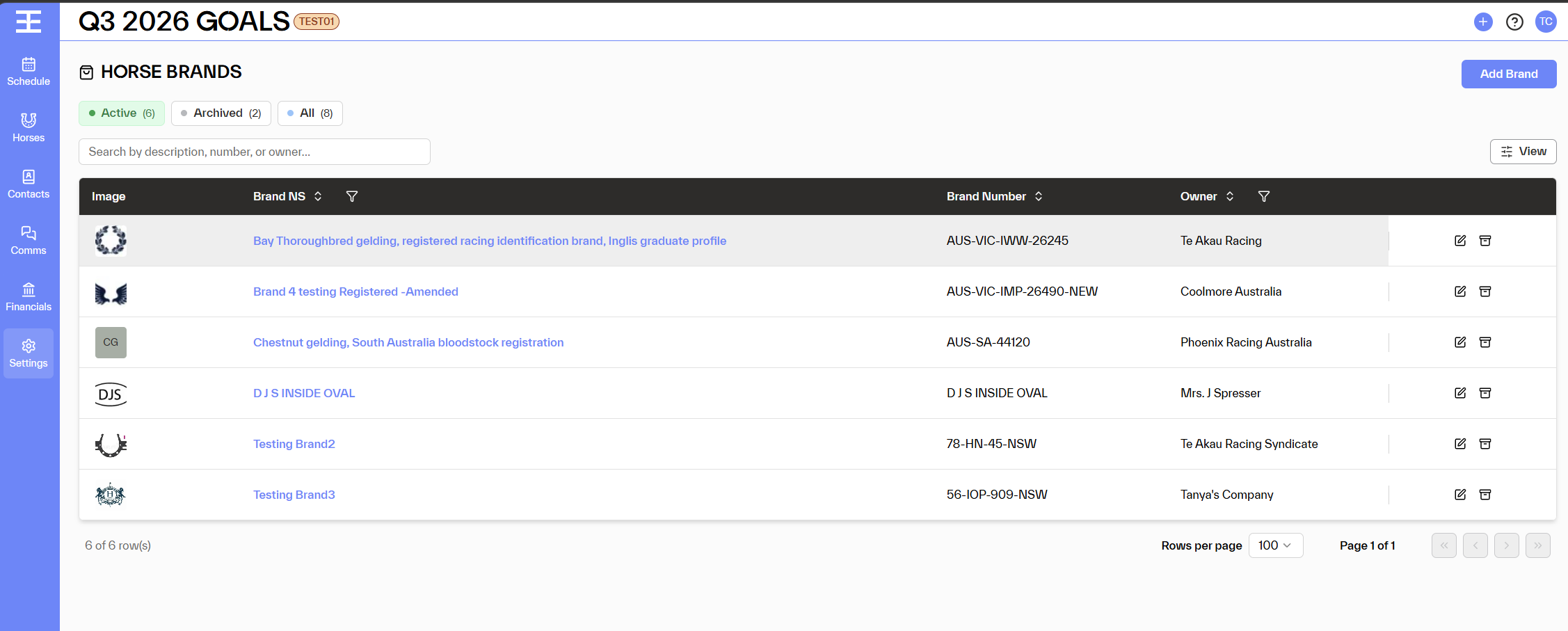
1 | Go to Settings | Click the Settings icon or menu in the top navigation. |
2 | Select 'Brands' | Find and select the Brands section under workspace settings. |
3 | Manage as needed | Create, rename, merge, deactivate, or delete brands from this screen. |
Frequently Asked Questions
Can I link more than one brand to a horse?
No, each horse can have one brand linked at a time. If the horse's brand changes, you can update it from the horse profile at any point.
I can't find the brand I'm looking for. What should I do?
Use the search field in the brand selector to look it up. If it genuinely doesn't exist yet, you can create it on the spot. If you suspect it was deleted or deactivated, contact your workspace Admin.
I created a brand by mistake. Can I delete it?
Only Admins can archive brands. If you've just created a duplicate or made a typo, ask your Admin to clean it up via Brand Settings.
Will existing horses without a brand still work?
Yes, the Brand field is optional. Horses without a brand are unaffected and continue to work normally. You can add a brand to them at any time.
Who can see brands?
All users in the workspace can see brand information on a horse's profile and in reports. Brand Settings are visible and editable only by Admins.