
Email Preferences
Email Preferences allow you to manage multiple email addresses per contact and control which types of communications each email receives. This provides flexibility for contacts who use different emails for financial matters and day-to-day horse updates.
Email preferences can be managed:
When creating a new contact, or
From Contact Profile > Email Preferences
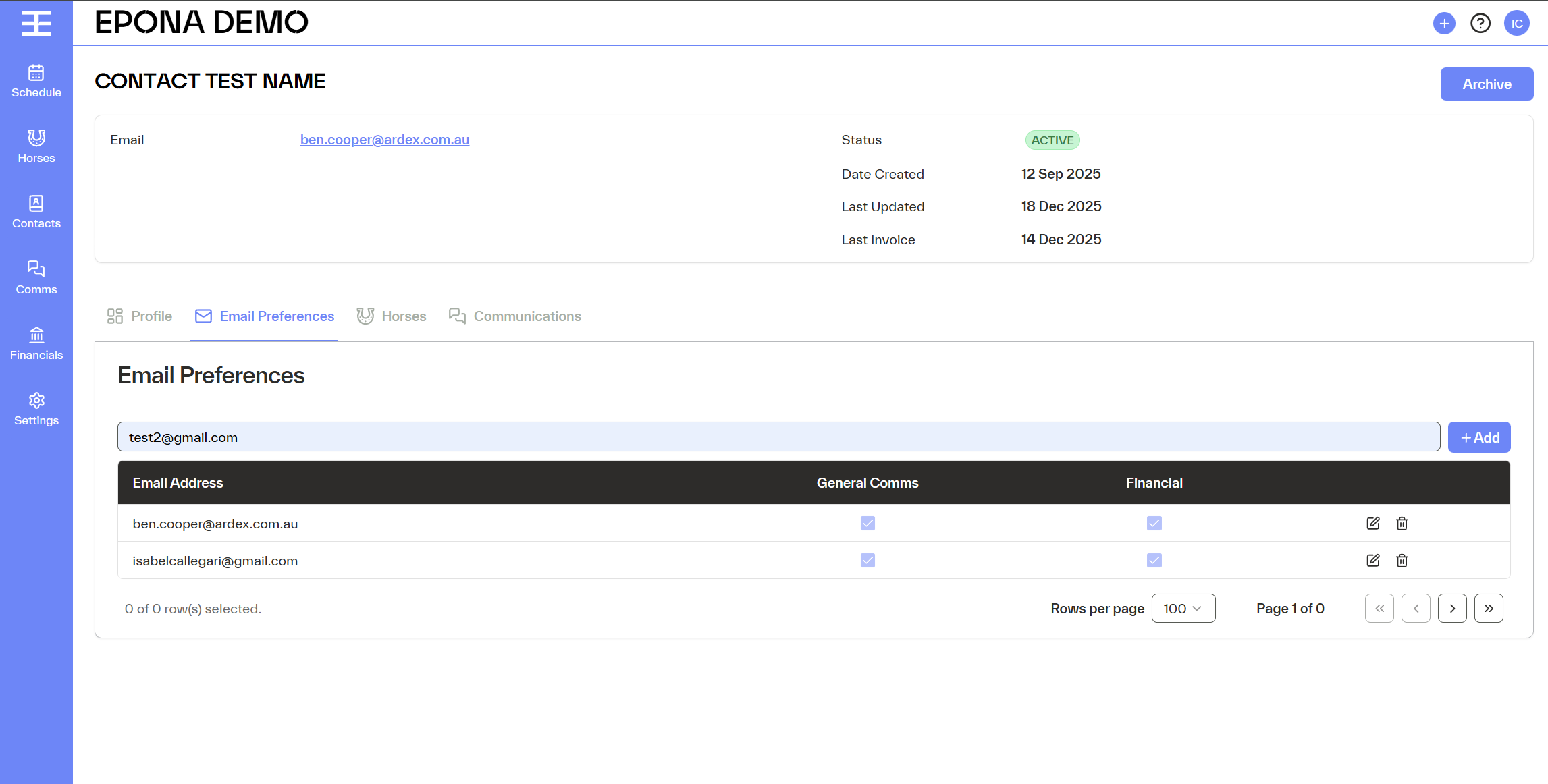
How to Add an Email
Navigate to Contact Profile > Email Preferences.
- Enter an email address in the input field.
- Click Add.
- The email will be added to the contact’s list of emails.
- Once added, you can define which communication types that email should receive.
Communication Types
Each email has individual checkboxes for the following communication types:
General Comms (Horse Updates)
Updates related to horse activity and general communications.
Financials
Invoices, statements, credit notes, receipts, and other financial documents.
Selection Rules
An email can receive:
- Only Financials
- Only Horse Updates
- Both (equivalent to receiving all communications)
At least one communication type must be selected.
Default & Validation Behaviour
When a new email is added, both checkboxes are selected by default (General Comms and Financials).
This ensures the email is active and able to receive communications immediately.
Users can deselect one option if the email should receive only a specific type.
Managing Email Preferences
Email preferences are displayed as a list under the contact:
Each row represents one email address
Each row includes:
- The email address
- Checkboxes for each communication type
- An option to delete the email
- This makes it clear which emails are used for which communications.
How Email Preferences Are Used
Emails added in Email Preferences are used when sending:
- Financial communications (invoices, statements, receipts)
- Horse-related updates
- If an email is not selected for a specific communication type, it will not receive those communications.
Key Things to Remember
- You can add multiple emails per contact.
- Each email has independent communication preferences.
- If one email entered it must have at least one communication type selected.
- New emails default to receiving both General Comms and Financials.