
Advanced Filtering - Procedures to Multiple Horses
When adding a procedure, transaction, horse update or movement for multiple horses, you can refine your selection using the Filter button located on the top right above the 'Horses' field. This opens a slide-over panel where you can apply advanced filtering options.
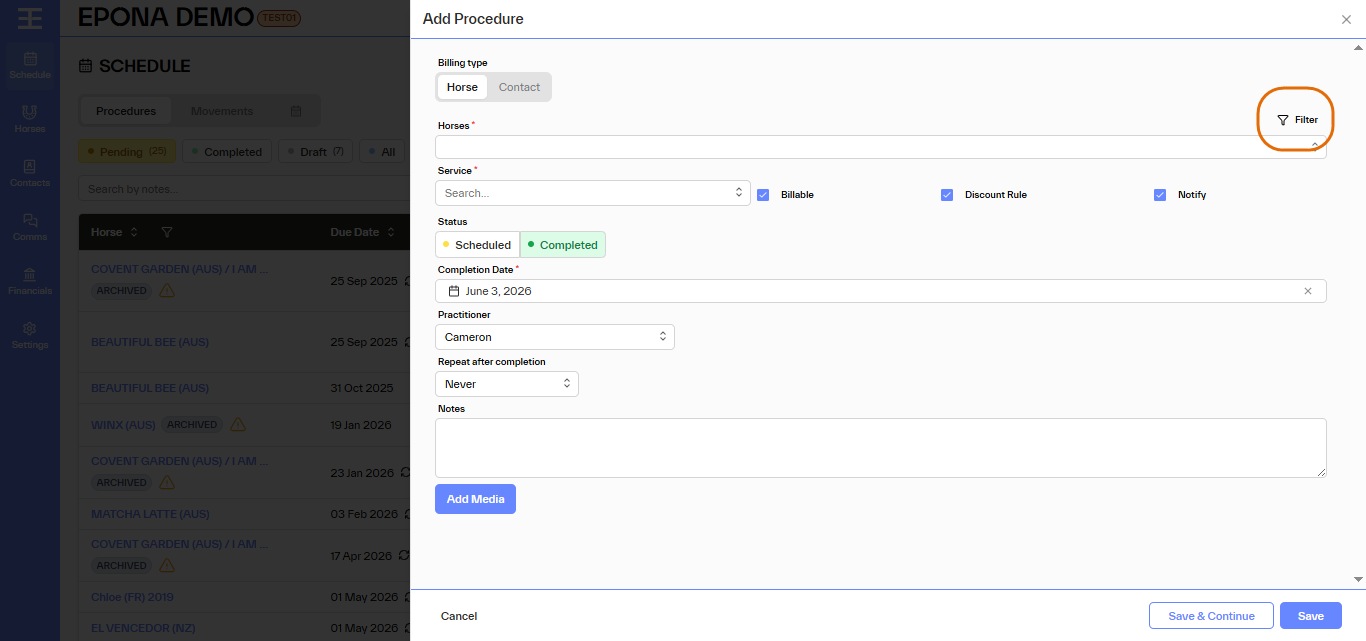
Filter Options
You can filter horses by:
- Sire
- Dam
- Location
- Facility
- Sub Facility
- Status
- Gender
- Lifecycle
Or filter by combinations of the above values, e.g. filter to all mares on a selected property.
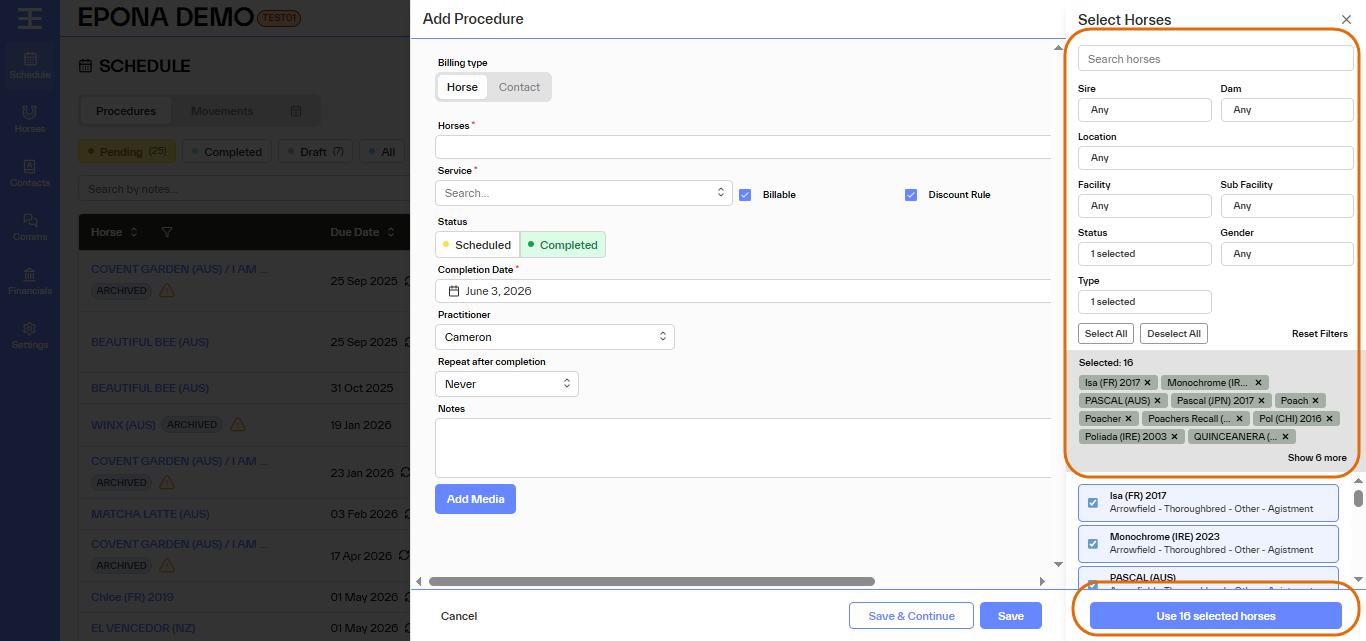
Bulk Actions
Inside the filter panel you can:
- Select All – select all horses that match your filtering choices made (you will see the horses listed)
- Deselect All – ensure no horses are selected, then you can change filtering and select again
- Reset Filter – removes all filtering values set, so you can restart the filtering process
After applying filters, the system will display how many horses are currently selected, and the horse names. You can remove one horse at a time from your selected group if needed.
Removing a Horse
If a horse was added by mistake, you can simply click the × to the right of the horse name to remove it from your selected group.
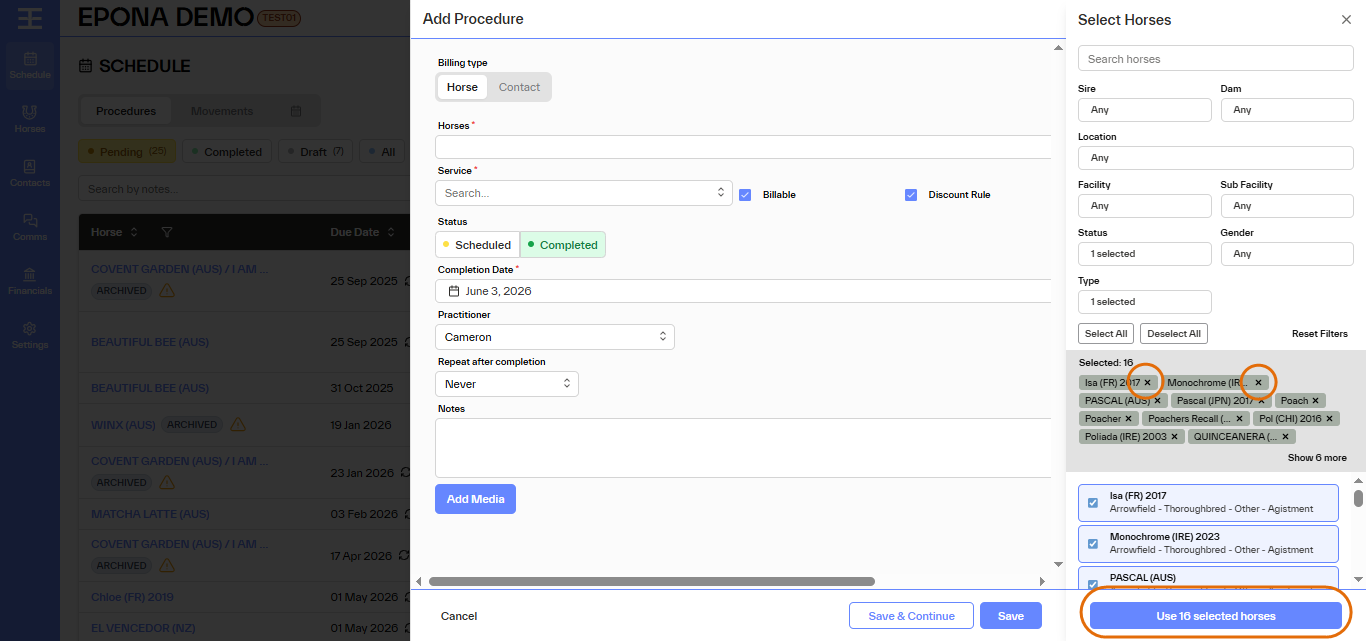
Finally click 'Use the (xx) selected horses' button at bottom right to add the selected horses to the 'record procedure' screen. Then you can select which procedure or service to charge to the horse group and save to add the item to all these horses at once.