
Enter Contact Notes
It's useful to keep notes regarding interactions you have with clients, suppliers, trainers, farms, service providers and other database contacts for future reference.
For example discussions about payment of accounts receivable amounts, discussions about stallion bookings and horse breeding plans, discussions about horse training strategy and upcoming horse purchases and sales, and other matters of interest.
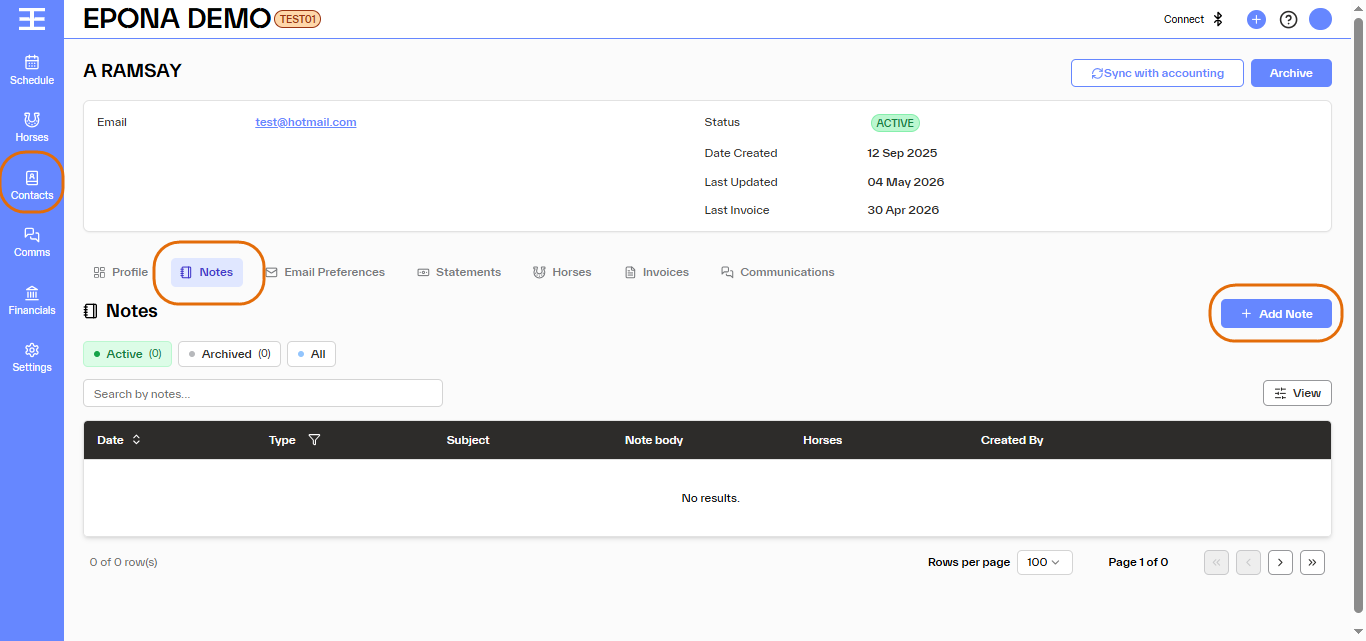
Epona facilitates this kind of ongoing record keeping and makes contact notes easy to enter, modify, search and filter. Add a note against a contact by selecting the Contact and clicking the 'Notes' tab in the contact info screen, then click 'Add Note' at right.
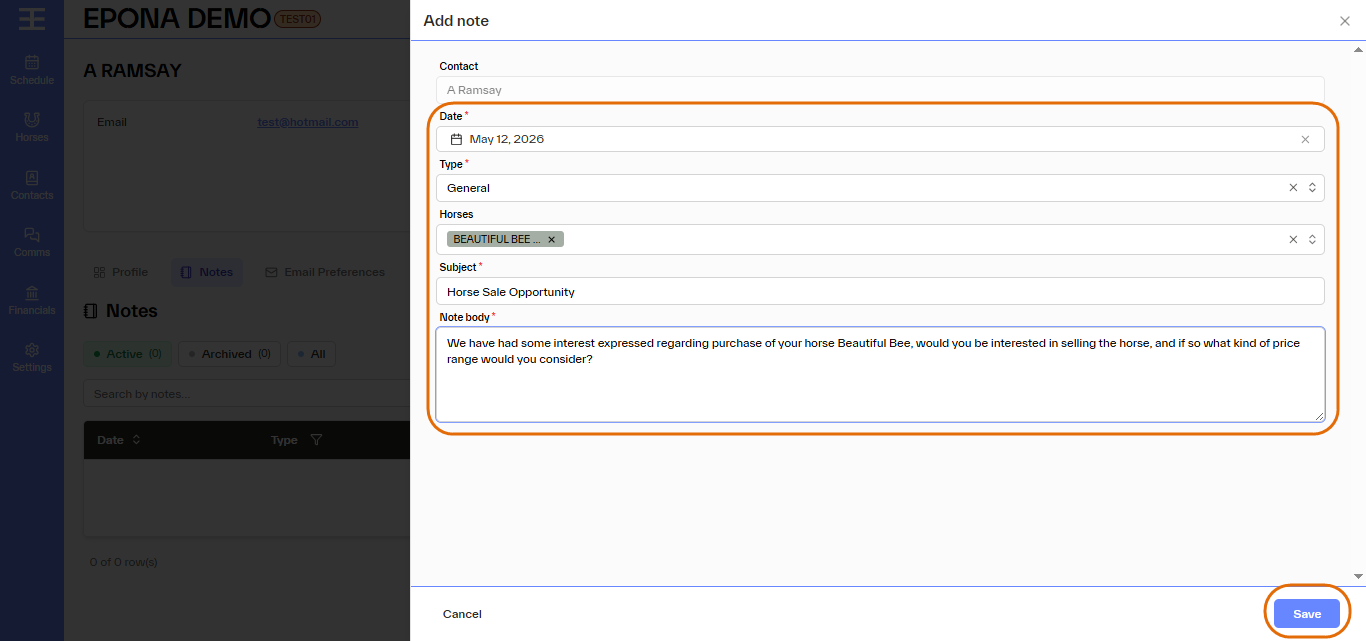
The date of the note will default to today but can be modified. You may select a note type and enter a subject for the note. You may link the note to one or more horses if you wish (optional). The Note Body box allows you to enter the text of the note. Click 'Save' at bottom right when done.
Once saved you should receive confirmation 'Changes Saved Successfully' and the new note should become visible on screen. Notes saved against a contact can be searched (use 'search by notes' box) or sorted by any of the following:
- Date
- Type
- Subject
- Note Body
- Horses
- Created By
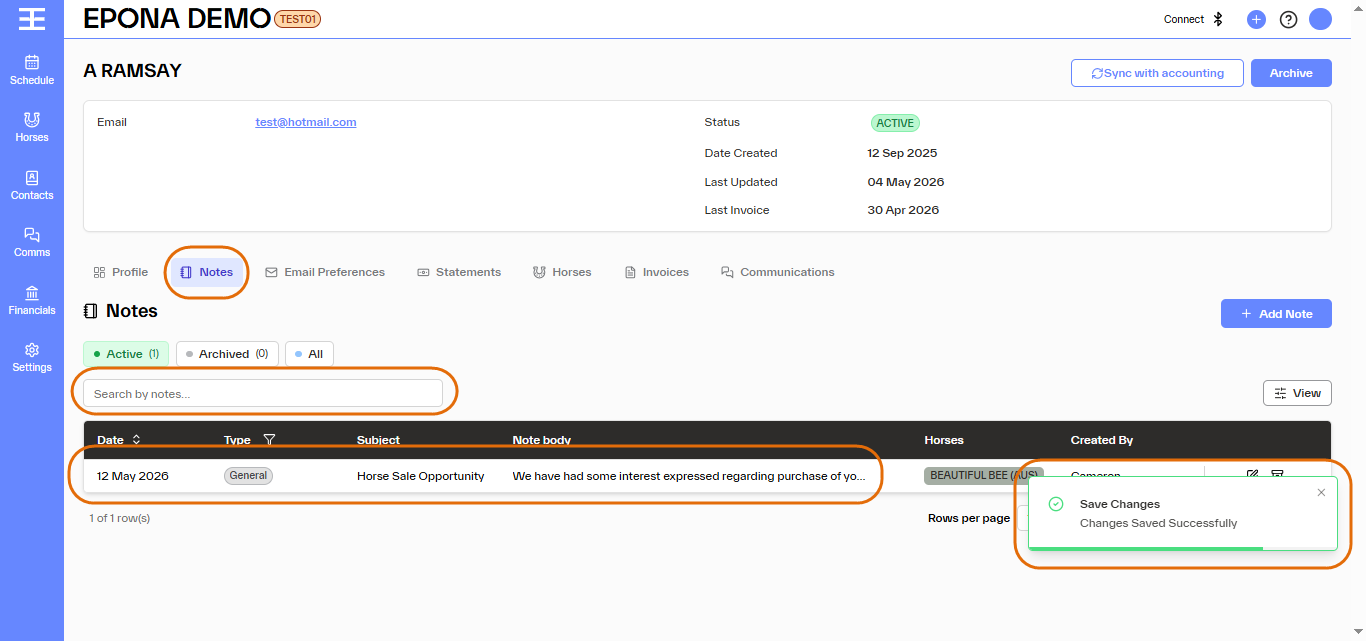
A note made against a database contact record will not also save into the horse info screen, even if a horse is selected and connected with the note. Notes made can be modified or archived via the Edit and Archive icons at right of screen.