
Billing Approval Flow
Transactions follow a clear approval process to ensure accuracy and control before invoicing. Transactions can be approved for invoicing via Financials / Transactions or via the end of period client billing process.
Approving Transactions
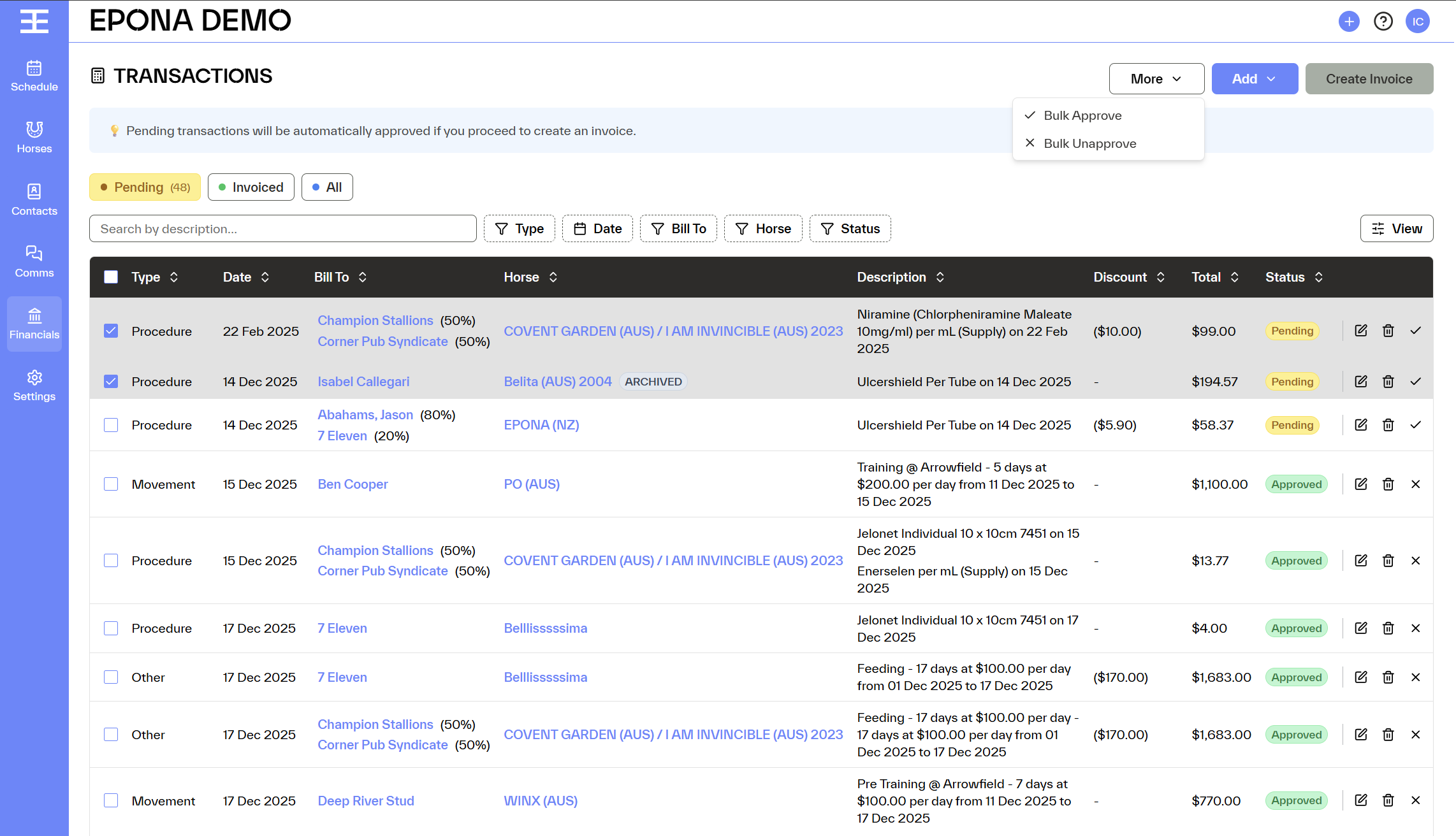
Transactions can be approved for invoicing individually or in bulk.
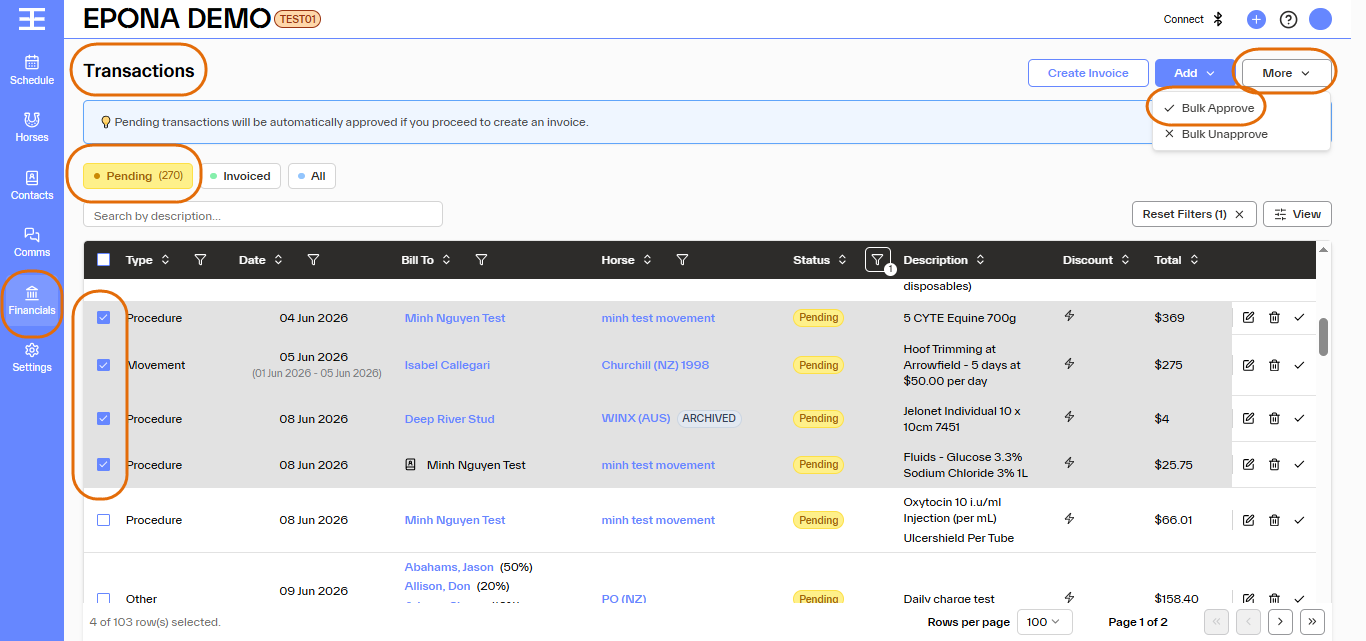
To approve multiple transactions at once:
- Navigate to Financials / Transactions
- Select (tick) transactions from the list.
- Click More at top right
- Select Bulk Approve
- The transactions move from Pending to Approved
- The transactions become locked for editing
- The charges are considered reviewed and ready to be invoiced
Unapproving Transactions
Approved transactions can be reverted back to Pending if changes are required.
To do this in bulk:
- Select (tick) the approved transactions.
- Click More at top right
- Select Bulk Un-approve
- The Transactions become editable again
- The charges can be updated before being approved
Automatic Approval During Invoicing
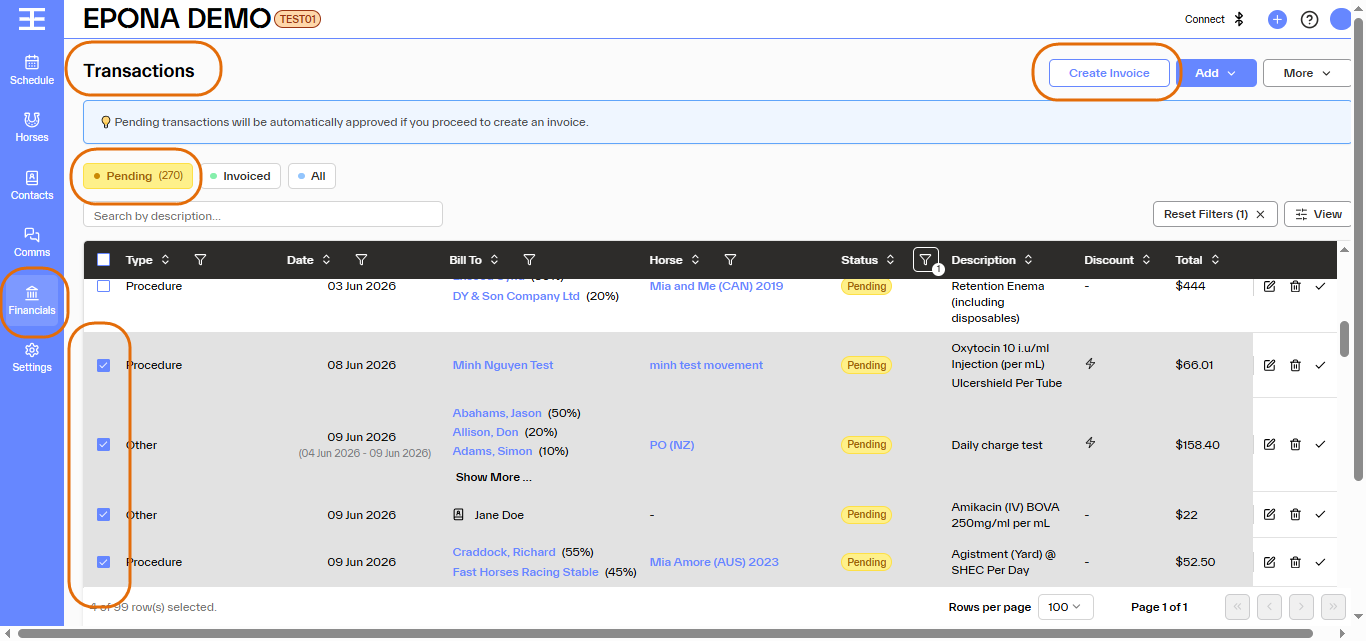
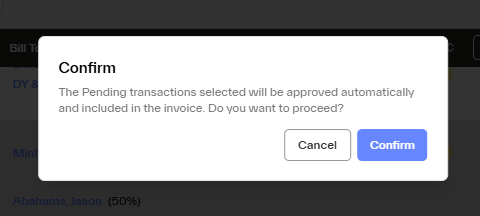
When 'Pending' transactions are selected during invoice creation they are automatically approved
There will be a notification onscreen so the user knows they are invoicing an unapproved transaction
After invoice creation, those transactions move to the Invoiced status and client invoices can be sent
Key Rules to Remember
Pending = editable, not yet approved or invoiced.
Approved = locked, reviewed, and ready for invoicing.
Invoiced = charged to a contact, final.
Cancelled = removed and excluded from billing.
This approval flow helps maintain billing accuracy, prevents accidental edits, and provides clear visibility across all transaction states.